PrimarySwamp Wilderness · CH 19
AUTOUnofficial SpiritVale bot · 1–8 clients
One command deck. Every grind in motion.
Run one character or manage up to eight at once. Spirit Engine fights, heals, buffs, loots, sells and recovers each client from one app while you're at work, asleep, or playing something else.
Use at your own risk. Unofficial third-party tool, not affiliated with SpiritVale. Automating gameplay may breach the game's terms — your account is yours to look after, and we're not responsible for what happens to it. The honest version is below.
Command deckQuad · 4 clients
Live Client 2Forgotten Woods · CH 07
AUTOClient 3Sunken Temple · CH 12
READYClient 4Saved · not running
OFFOne PC, one command deck
Solo runs one client. Duo, Trio, Quad, Hexa and Farm allow two, three, four, six or eight simultaneous clients on the same licensed PC.
Each client stays its own
Rotations, character settings, logs and recovery stay separate. Share Loot settings only when you choose to.
Never sees your login
No Steam or SpiritVale credentials, ever. It doesn't know your password and never asks for it.
Multi-client command
One panel. Up to eight SpiritVale clients.
Choose a capacity that fits your setup, then add, launch and watch every allowed client from the same app. Solo stays deliberately simple; Duo, Trio, Quad, Hexa and Farm open the full workspace.
Client capacity Quad shown 4 of 8 slots active
Multi-client command view
All clients
3 of 4 connected
Primary
Connected Primary
Weaver · Lv 140
Swamp WildernessCH 19
HP MP
Managed client
Connected Client 2
Warrior · Lv 96
Forgotten WoodsCH 07
HP MP
Managed client
Connected Client 3
Necromancer · Lv 88
Sunken TempleCH 12
HP MP
Managed client
Stopped Client 4
Saved and ready
Not running—
Separate where it matters
Rotations, recovery, logs, farming reports and activity history stay with the correct client.
Shared when you want it
Let secondary clients follow the primary client's Loot settings, or keep each one independent.
One safety control
The Start/Stop hotkey reaches every connected client; if any are running, the next press stops them all.
Capacity never deletes setup
Sign in with a smaller plan and extra clients become unavailable, but their games and saved setup are not deleted.
See it run
One client, ninety seconds, no edits.
One character, one session: rotation built, loot rules set, then left alone to fight, loot and bank the gold on its own. Multi-client uses this same panel and engine for each client.
No voiceover, no cuts hiding a reset — the counter in the corner is the same session running the whole way through. Watch on YouTube.
Same game, different night
You were going to spend those hours anyway.
Spirit Engine doesn't make your character stronger than playing would. It makes the grind stop costing you your evening.
Grinding it by hand
- Four hours of the same pull, the same rotation, the same corner of the same map.
- Bag fills, you walk to town, you sell, you walk back. Again.
- Map goes dead, so you hop channels and hope.
- One bad pull at 3% HP and the whole session is a corpse run.
- Every extra client means another window to watch, recover and keep organized.
With Spirit Engine
- Set your rotation once, then go do literally anything else.
- Bags empty themselves at the vendor and it heads straight back out.
- Dead map? It moves to a live channel without being asked.
- HP through the floor? It warps you home before you die.
- Every allowed client sits in one workspace, with its own setup and live status.
What it does
Twenty-two systems. One control room.
Every plan gets the complete engine. Each client keeps the settings that belong to it, so play with Manual Mode assistance, support your party or automate the farming loop.
Control room
7 systemsClient workspace
Launch and manage every allowed client from one app. See connection, map, vitals, AUTO activity, current task, warnings and bag usage without mixing controls. Resize the app to fit your desktop; layouts adapt to smaller windows. Clean memory for an individual client directly from its Overview card.
1–8 clientsIn-game bot overlay
Show optional Start and Stop controls with a farming summary inside each game window. Drag the overlay where you want it; its controls act only on that client.
Per-client controlsLicense center
See plan capacity and exact time remaining, preview what another key will add, convert plans, review past changes or reset your device binding.
Extend or upgradeFarming analytics
Review active time, kills, deaths, gold, EXP, hourly rates and farming-ground comparisons. Multi-client summaries combine fresh results in one view.
ReportsDiscord webhooks
Send deaths, disconnects, recovery, social requests and Auto Sell results to Discord, with optional farming summaries.
Optional alertsLive map & equipment
See the current map, walkable ground and nearby entities alongside live equipment, bag load and character resource readouts.
Map + readoutsLow-resource & privacy
Shrink SpiritVale into a compact window. Hide other entities, scenery or effects with visual settings saved per client. Clean memory manually or on an automatic timer; cleanup may briefly pause the game. Privacy views mask identifying details while recording.
Background friendlyCombat & protection
8 systemsManual Mode
Control movement yourself while your existing combat, buff and healing plans run. Set a 1–20 m target radius; each skill still respects its casting range. AUTO starts and stops assistance.
You move · AUTO assistsPriest Support Mode
Heal, buff, cleanse and resurrect your party with configurable priorities and HP thresholds. Hold position or follow a selected member, with optional travel to their map and channel. Choose which debuffs to remove under the matching cleanse skills. Enable a short walk and return every 1–30 minutes while stationary in either movement mode.
Party healing + followingCombat rotation builder
Build each character’s skill order, including normal attacks, movement skills, cooldown-aware casts and class-specific options. Every setup stays separate.
Per-characterEncounter styles
Fight one target, orbit while attacking, or move through groups with Pack Kite. Gather without a limit or clear a fixed batch before roaming again.
1v1 · Orbit · KiteBoss Mode
Ignore normal monsters and hunt only bosses inside your radius. Use the correct lure for the map and wait for confirmed use and defeat before summoning again. Enable Hold Position to attack bosses in range without chasing; you can still move manually. Or choose Keep Distance to automatically maintain a preferred gap of 1–30 meters from the boss.
Hunt · summon · holdSmart targeting & dodging
Avoid claimed targets, stay inside your hunting range, prefer reachable monsters, and roll away from detected enemy ground attacks when landing is safe.
No-KS + dodgeBuffs, summons & healing
Maintain buffs, auras and summons without cancelling one effect with another. Set potion and healing thresholds with supported class-aware casting options.
Automatic upkeepNavigation & reachability
Follow walkable routes toward targets, avoid unreachable monsters, and repath or side-step when terrain blocks progress.
NavMesh routesFarming loop
7 systemsFarm destinations & map rotation
Farm a whole map or one of five saved areas per character. Rotate through maps or areas on separate timers, repeat the route, and retry or skip failed travel.
2–5 stopsCharacter rotation
Cycle through selected characters after a chosen amount of active grinding time. Each resumes its own destination, combat style and saved automation.
Timed grindingServer Rotation
Choose two or more servers, arrange their order, and switch automatically after a set amount of active farming time. See the next server and countdown in the panel. Requires Auto Login.
Ordered server switchingChannel automation
Pin a channel or move on a timer, when a map is empty, before a server restart, or when the same player stays nearby. Boss channels can be excluded.
Smart hopsScheduled AFK
Alternate between active farming and a town break on a repeating schedule, then return to the same hunt automatically while AUTO remains enabled.
Farm · break · repeatLoot, storage & selling
Choose pickup, favorite and dismantle rules by item or category. At your weight limit, deposit protected items in personal or guild storage, sell the rest and return to farming. Set personal Storage or Guild Storage as the destination for each item or category rule.
Full bag workflowAuto Login & recovery
Reconnect to the saved server and character. Optional recovery restarts a closed, frozen, stalled, stuck-loading or inventory-busy client and resumes AUTO.
Resume unattendedAlso in the box: global AUTO hotkey · settings saved per character · anti-AFK · town trips on demand · full activity log · interactive user guide · seven languages, including Brazilian Portuguese · automatic updates, free forever
Automated farming styles
Stand and grind, or keep the pack moving.
Same rotation either way — what changes is how you're positioned. Pick per character; they can't both be on.
Anchor
The classic loop. Take the nearest target, or the tightest group if you'd rather feed an AoE skill, and hold the spot until it's clear.
SelectCloseBurn down
- Prioritize monster packs — goes to the densest cluster instead of the closest single mob. It doesn't drag anything anywhere; it just picks a busier place to stand.
- Orbit while attacking — keeps moving mid-fight so you're harder to hit, and circles outward when several things are on you.
BEST FOR DENSE SPAWNS AND AOE BUILDS
Pack Kite
For maps where the mobs are spread thin. Walk a route and gather a pack, then keep roaming or clear a fixed batch before moving on. Your rotation handles the attacks.
RoamGatherPack combat
- Sticks to walkable ground — takes real routes toward the next monster or group instead of running into scenery.
- Prefers fresh targets — low-health followers get finished on the way past, not chased backward.
- Works the same for every class — your rotation still decides how to attack.
TURNS OFF ORBIT AND PACK PRIORITY WHILE ACTIVE
What you walk away with
Come back to progress, not to where you left off.
An overnight run is a level and a full bag. A weekend is an alt you'd never have bothered with.
01
Farm while you sleep
It keeps fighting, healing and selling through the night, and it's still going when you wake up. No baby-sitting, no alt-tabbing every ten minutes.
02
Gold that piles up on its own
Full bag, town, sell, back out — that lap runs itself, so drops turn into gold instead of into a weight limit you keep hitting.
03
Every client, finally in view
See which client is connected, where it is, and whether AUTO is running without chasing windows across your desktop.
One safety switch, across every allowed client.
Use each client's own control when you want precision. Use the global Start/Stop hotkey when you need everything to stand down: if any connected client is running, the next press stops all of them. Solo behaves exactly as it always did.
Setup
Start Solo. Add clients when you're ready.
No files to hand-edit, no settings to copy from a forum post.
01
Install & activate
Run the installer and paste your license key. No account, no password — the key is the whole login, and it binds to this PC.
02
Launch SpiritVale
Start the game the way you always do. Spirit Engine gets itself ready in the background and tells you when it’s connected.
03
Add clients if your plan allows
Duo, Trio, Quad, Hexa and Farm show an Add client control. Install multi-client support once, then the app prepares and launches each managed client for you.
04
Flip a switch
Build a rotation, set a threshold, turn on one module. Everything saves with the correct character and client, so you only set it up once.
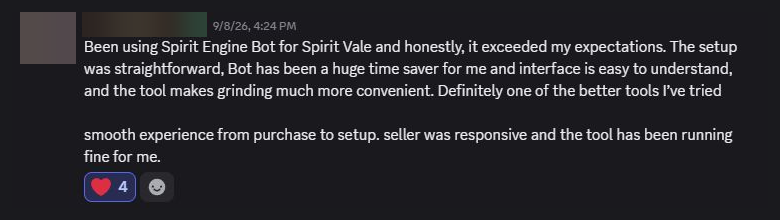
In the players’ words.
Experiences and suggestions, straight from our Discord community.


The part most tools skip
What this costs you, honestly.
Spirit Engine automates a game that doesn't want to be automated. That's a real risk to a real account, and no wording on a website changes it. Here's exactly where we stand.
We don't claim stealth
Nobody can promise a bot is undetectable, and anyone who does is selling you something. Automation may violate SpiritVale's terms and can cost you the account.
Everything is opt-in
Not one module runs until you switch it on. Want auto-sell and nothing else? That's a supported way to use it.
Everything is visible
Every action it takes is written to an activity log you can read as it happens, and none of it happens off your machine.
So: use at your own risk. Your account is your responsibility, and we can't take any for it — no warning, suspension, ban or lost loot is something we can undo, appeal or refund. If that's not a trade you want to make, don't run it. We'd rather say that plainly than sell you a promise nobody can keep.
Frequently asked
Straight answers.
If it isn't here, ask in our Discord. The invite comes with your purchase, and the app has a Link Discord button in its Info tab for anything you need after that.
Risk
Is this allowed by SpiritVale?
Assume it isn't. Spirit Engine is unofficial and third-party, made by neither SpiritVale's developers nor its publisher. Automating gameplay can carry account risk under most MMO terms of service. We don't promise it's undetectable; we promise every action is opt-in and written down where you can read it.
Does it need my account credentials?
No. It never touches your Steam or SpiritVale login, and there's nowhere to type it in. It plays your character the way you would.
What data leaves my PC?
Your license key and a hashed hardware ID, when your license is checked. No gameplay data, chat, inventory or other local game-state details leave your machine.
Using it
Does it play the whole game for me?
It handles the repetitive parts you turn on — rotations, upkeep, healing, selling, hopping, looting. It doesn't pick your build, your gear or your farm map. You're still the one driving.
Can I run just one module?
Yes. Each one is independent. Auto-sell alone while you play manually is a normal way to use it.
Can I control movement and still get combat assistance?
Yes. Manual Mode uses your existing combat, buff and healing plans while you move. Choose a target radius from 1 to 20 metres; skills still respect their own casting range. AUTO starts and stops assistance. Automated movement, dodging and town trips are disabled in this mode.
Do my settings follow my characters?
Yes. Rotations, thresholds and switches are saved per character, so alts don't overwrite each other.
How do multiple clients work?
Duo, Trio, Quad, Hexa and Farm open a client workspace for two, three, four, six or eight simultaneous SpiritVale clients on the licensed PC. Install multi-client support from the app once, then add, launch and open each managed client from its own tab. Each client keeps its own live status, settings, logs and recovery.
What happens if I sign in with a smaller plan?
Spirit Engine stops automation on clients above the new limit. Their game windows may remain open, and their saved client setup is kept; the app does not delete it. Sign back in with enough capacity to make those clients available again.
Licensing
How does the license work?
One key, one PC, bound by a hardware fingerprint. Solo permits 1 simultaneous client, Duo 2, Trio 3, Quad 4, Hexa 6, and Farm 8. There’s no username or password — the key is the login.
Can I extend or upgrade with another key?
Yes. Enter one unused key or another key already used on this PC in the License tab. The app calculates the conversion without changing anything, then consumes the source only after you review and confirm. Capacity can increase but never decrease.
Does buying Farm guarantee my PC can run eight clients?
No. The license controls how many clients Spirit Engine allows; it cannot add CPU, RAM or GPU memory. Check the PC-fit guide on the pricing page before buying. If you are unsure, start with a lower capacity and upgrade later without losing the remaining value of your current key.
What if I upgrade or reformat my PC?
Ask in our Discord — the invite comes with your purchase, and the app's Info tab links you there — and we'll reset the binding so the key activates on the new machine.
Technical
Windows warns me during install — normal?
For now, yes: the installer isn’t code-signed yet. Choose "More info → Run anyway." It’s the same installer either way.
How do updates work?
Automatically. When there’s a new version you’re told, and it installs itself — you may be asked to close the game first.
Will my PC handle running both?
Resource use depends on your PC and the number of clients. Low-resource mode uses a compact game window with a 20 FPS cap. Separate visual controls can hide other entities, scenery and effects, with settings saved per client. See the PC-fit guide on the pricing page before choosing a capacity.
How do I get help once I’ve bought?
Everything runs through our Discord. The invite arrives with your purchase, and you never need to hunt for it again — the app’s Info tab has a Link Discord button that takes you straight to the server for any question.
Available now
Stop grinding it by hand.
Choose 1, 2, 3, 4, 6 or 8 client slots on one PC. Every plan gets every feature.
See pricingFIXED TERM · NO SUBSCRIPTION · WINDOWS 10 / 11 · STEAM COPY OF SPIRITVALE